
YouTube Thumbnail A/B Testing: What Works Best in 2026?
Stop guessing why your videos are flopping. YouTube's native A/B testing changes the game, but only if you test the right variables.
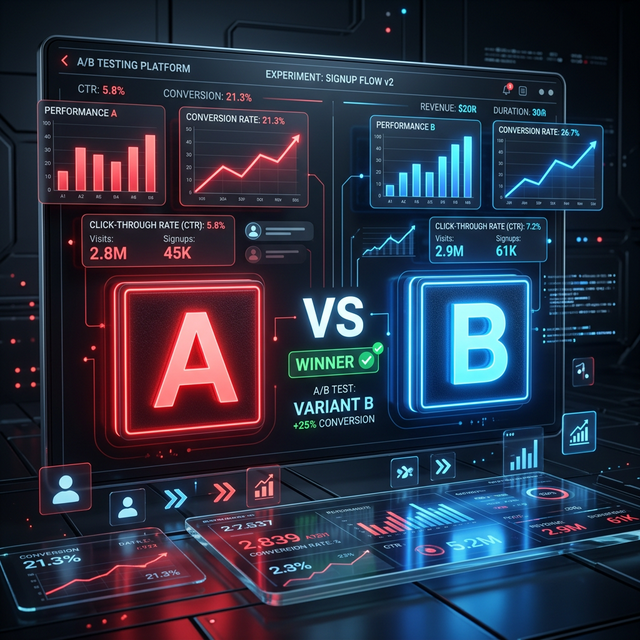
Guessing which thumbnail will perform best is a fast track to burnout. You spend 40 hours editing a masterpiece, and it dies at 200 views because the background color was blue instead of red.
For years, creators relied on third-party tools to swap thumbnails back and forth. But in 2026, YouTube's native "Test & Compare" feature has completely altered how we launch content. It doesn't just measure clicks anymore—it measures satisfaction.
Here is exactly how to run tests that actually move the needle, rather than just spinning your wheels.
1. The Metric Shift: Watch Time Share vs. CTR
The biggest mistake creators make with A/B testing is optimizing purely for Click-Through Rate (CTR). Clickbait works to get the click, but it destroys retention.
Why It Works: YouTube's native tool determines the "Winning" thumbnail based on Watch Time Share. If Thumbnail A gets 10% CTR but people leave after 30 seconds, and Thumbnail B gets 6% CTR but people watch for 5 minutes, Thumbnail B wins the test. Period.
The Strategy:
- Do not test an extreme clickbait thumbnail against an honest one. You will ruin your audience retention data.
- Ensure the text on the winning thumbnail aligns perfectly with the first 5 seconds of the video. The viewer must immediately feel they clicked the right video.
2. The 3-Thumbnail Framework
YouTube allows you to test up to three thumbnails simultaneously. Most creators waste this by testing three slightly different font colors. That is mathematically useless unless you already have a massive baseline.
The Strategy: When launching a new video, your three thumbnails should represent entirely different psychological hooks.
- The Face/Emotion Hook: A massive, expressive face reacting to something just out of frame. High emotion, bright background.
- The Curiosity Object: No face. A heavily zoomed-in, out-of-context object (like a strange wire, a pile of money, or a glowing button) with a red arrow.
- The Before/After Split: A classic vertical split showing a terrible "Before" and an incredible "After."
Once the test concludes (usually needing at least 1,000 impressions to be statistically significant), you don't just know the winning thumbnail for that video. You learn what psychological hook your audience prefers overall.
3. Third-Party Tools Still Matter (For Titles)
While YouTube Studio handled the thumbnail, for a long time we still lacked native title testing. That is where tools like TubeBuddy stepped in to fill the gap.
Why It Works: TubeBuddy and VidIQ allow you to test the entire package. A great thumbnail with a confusing title will still lose.
The Strategy:
- If you have an undeniable, 10/10 thumbnail idea, test three completely different titles against it (e.g., Question vs. Bold Statement vs. List format).
- Use TubeBuddy to run these tests on older, "evergreen" videos. A fresh title and thumbnail on a 2-year-old video can trick the algorithm into pushing it to a new audience.
Barrier to Entry: Low for native YouTube (it's free). Medium for third-party tools as A/B testing is usually locked behind $20-$40/month premium tiers.
4. The 2026 Trend: "Less is More"
Data from 2026 tests across thousands of channels reveals a massive shift away from the classic "MrBeast style" (hyper-saturated, 3-word neon text, open-mouth reaction face).
The Strategy:
- Text: Aim for zero words on the thumbnail. If you must use text, maximum 3 words. Do not repeat the title.
- Dark Mode Optimization: 70% of viewers use YouTube in dark mode. A thumbnail with a dark background blends in. Test a thumbnail with a bright, solid-color background (like yellow or mint green) simply to break the visual pattern of the UI.
- Authenticity: Test raw, unedited smartphone photos against highly photoshopped graphics. Audiences are experiencing "AI fatigue" and often click the rough, unpolished image because it feels real.