
How to Get the Transcript of Any YouTube Video (Free, Instant)
Need the full transcript of a YouTube video? Here's the fastest way to extract, copy, and download transcripts with timestamps — no account needed.
Whether you're quoting a speaker, creating subtitles, studying a lecture, or turning a video into a blog post — you need the transcript. YouTube has a built-in transcript feature, but it's buried in menus, doesn't format well, and can't be downloaded easily.
There's a simpler way. Summarise offers a free YouTube Transcript Generator that extracts the full transcript of any video with timestamps, ready to copy or download. No account, no sign-up, no extensions required.
How to Get a YouTube Video Transcript
The process takes about 10 seconds. Here's the step-by-step.
Step 1: Copy the YouTube Video URL
Go to the YouTube video you want the transcript for. Copy the URL from your browser's address bar. It'll look something like https://www.youtube.com/watch?v=VIDEO_ID.
Step 2: Paste the URL into the Transcript Generator
Head to summarise.info/youtube-transcript. You'll see a simple input field — paste your URL and click Get Transcript.
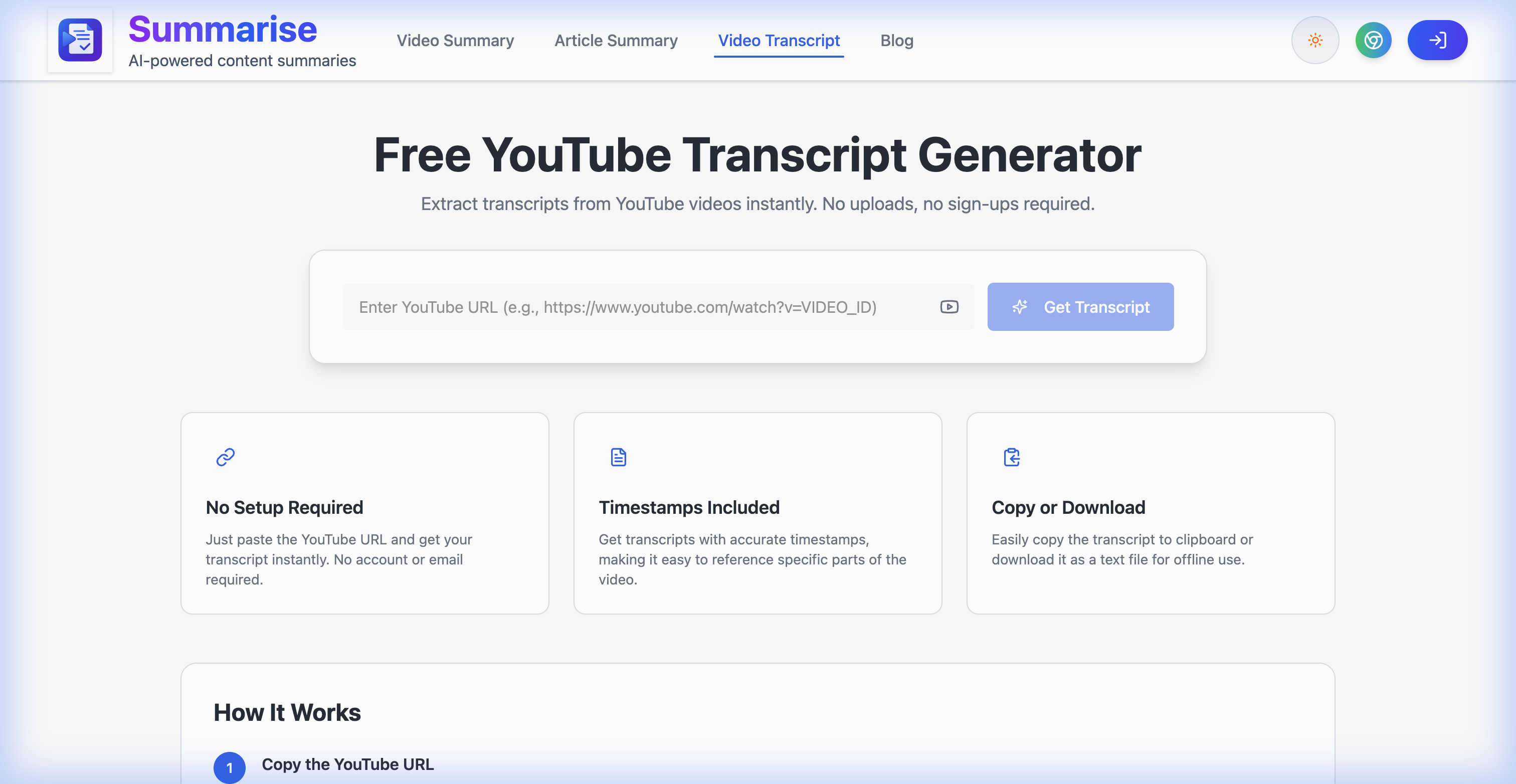
Free YouTube Transcript Generator
Step 3: View, Copy, or Download
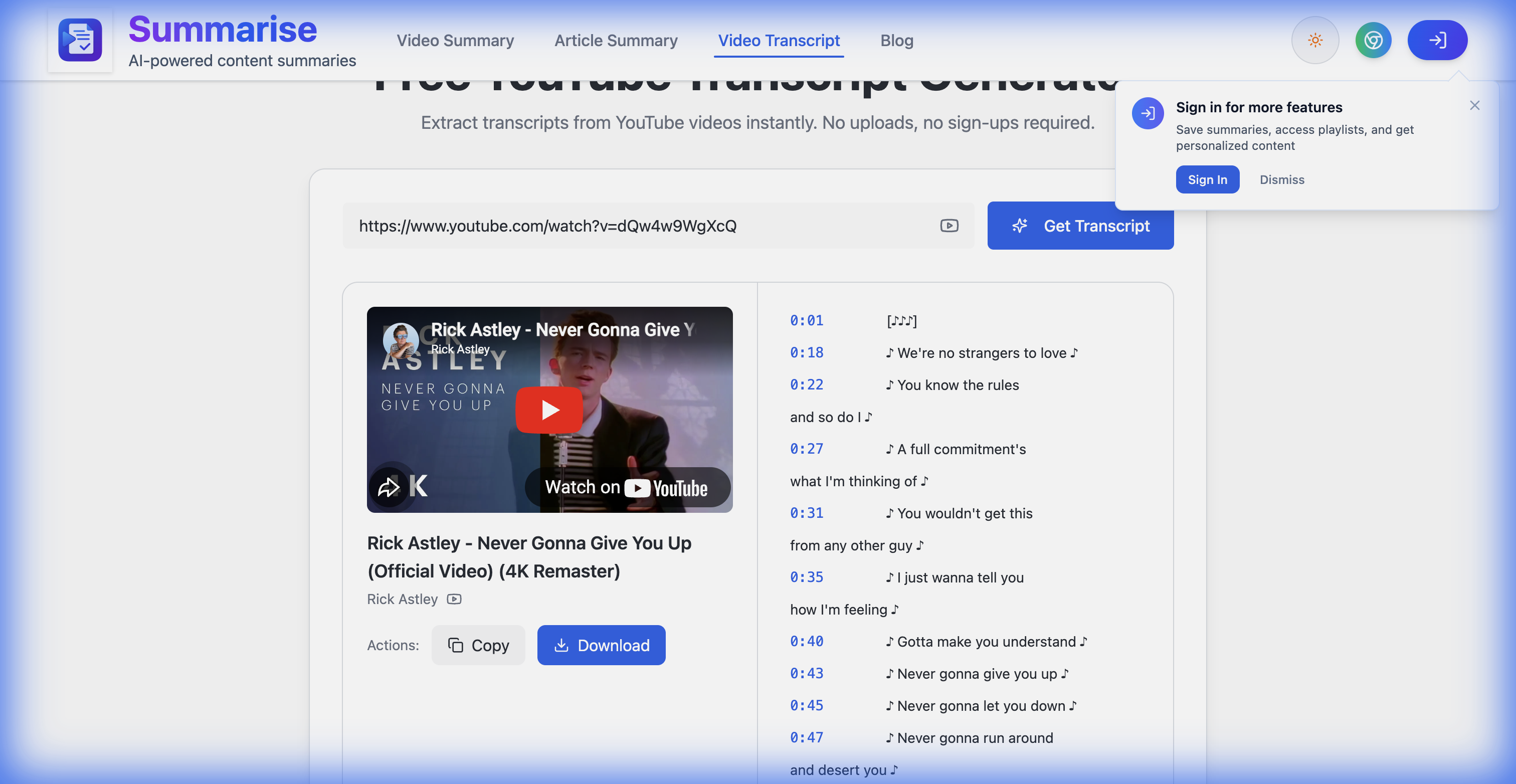
Within a few seconds, the full transcript appears alongside the video preview. Each line includes a timestamp so you can reference specific moments.
Generated transcript with timestamps
You get two options for using the transcript:
- Copy — copies the entire transcript to your clipboard, ready to paste anywhere
- Download — saves it as a text file for offline use
That's the whole process. Three steps, zero friction.
Key Features
The transcript generator stands out because of a few specific things:
No Setup Required There's no account to create, no email to enter, no extension to install. You paste a URL and get your transcript. It works the first time, every time.
Timestamps Included Every segment of the transcript comes with an accurate timestamp. This makes it easy to jump to specific parts of the video or cite exact moments.
Copy or Download Most tools make you manually select and copy text. Here, you've got dedicated buttons for both copy-to-clipboard and download-as-file. Small feature, big time saver.
How It Works Under the Hood
The tool extracts the transcript data that YouTube automatically generates for most videos. Here's the simple flow:
- Paste the URL — you provide the video link
- Transcript extraction — the tool pulls the available transcript data from YouTube
- Formatted output — timestamps are aligned, text is cleaned up, and the whole thing is presented in a readable format
If the video doesn't have a transcript (some older or private videos don't), the tool will let you know.
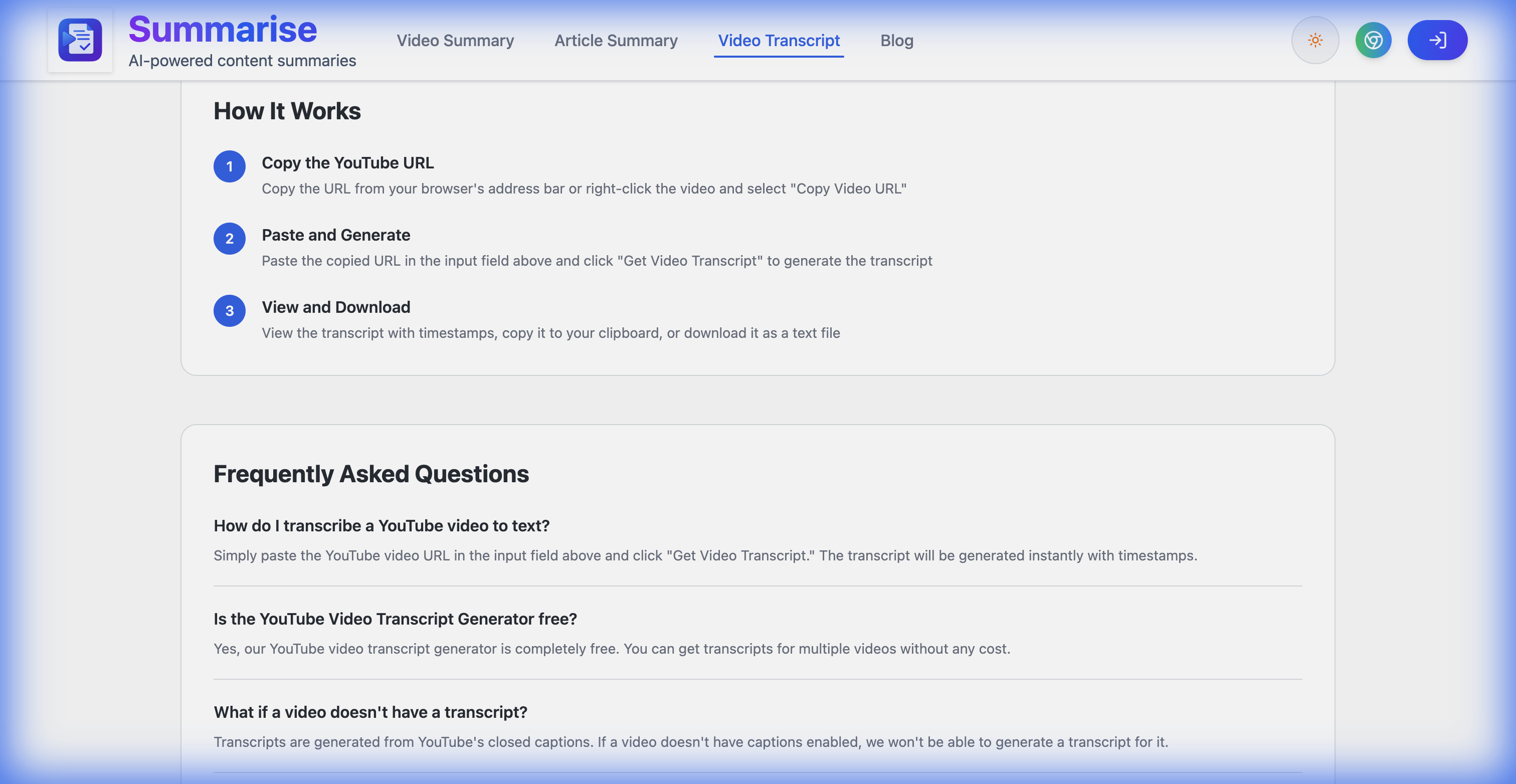
How it works - step by step flow
When You'd Actually Use This
Here are some practical scenarios:
- Quoting a speaker — you need an exact quote from a keynote or interview, and scrubbing through the video is impractical
- Content repurposing — turning a YouTube video into a blog post, newsletter, or social media thread
- Study notes — lectures, tutorials, and educational content are easier to review as text
- Accessibility — making video content accessible in text form for those who prefer reading
- Translation — getting the English transcript so you can translate it into another language
- SEO research — analyzing what competitors say in their videos without watching every minute
FAQ
Does it work with any YouTube video? It works with any video that has a transcript available — either auto-generated by YouTube or manually uploaded by the creator. Most public videos have auto-generated transcripts.
Is it free? Yes, completely free. No account needed, no trial period, no limits on the number of transcripts.
Can I get transcripts in other languages? The transcript reflects whatever language YouTube has available for the video. If the video has auto-generated captions in English, you'll get the English transcript.
What about YouTube Shorts? Yes, Shorts have transcripts too (if they're long enough for YouTube to generate one), and the tool works the same way.
Can I also get a summary instead of the full transcript? Absolutely. The same platform has a Video Summary feature that gives you a structured AI summary instead of the raw transcript.
Get Your Transcript Now
Next time you need the text from a YouTube video, skip the manual approach. Paste the URL, click one button, and you're done.
Explore More
- Artificial Intelligence Channels — Discover AI creators and use transcripts to stay on top of the latest developments.
- Technology Channels — Browse tech creators for tutorials and reviews worth transcribing.